Features

The core features are about timing, not reporting volume.

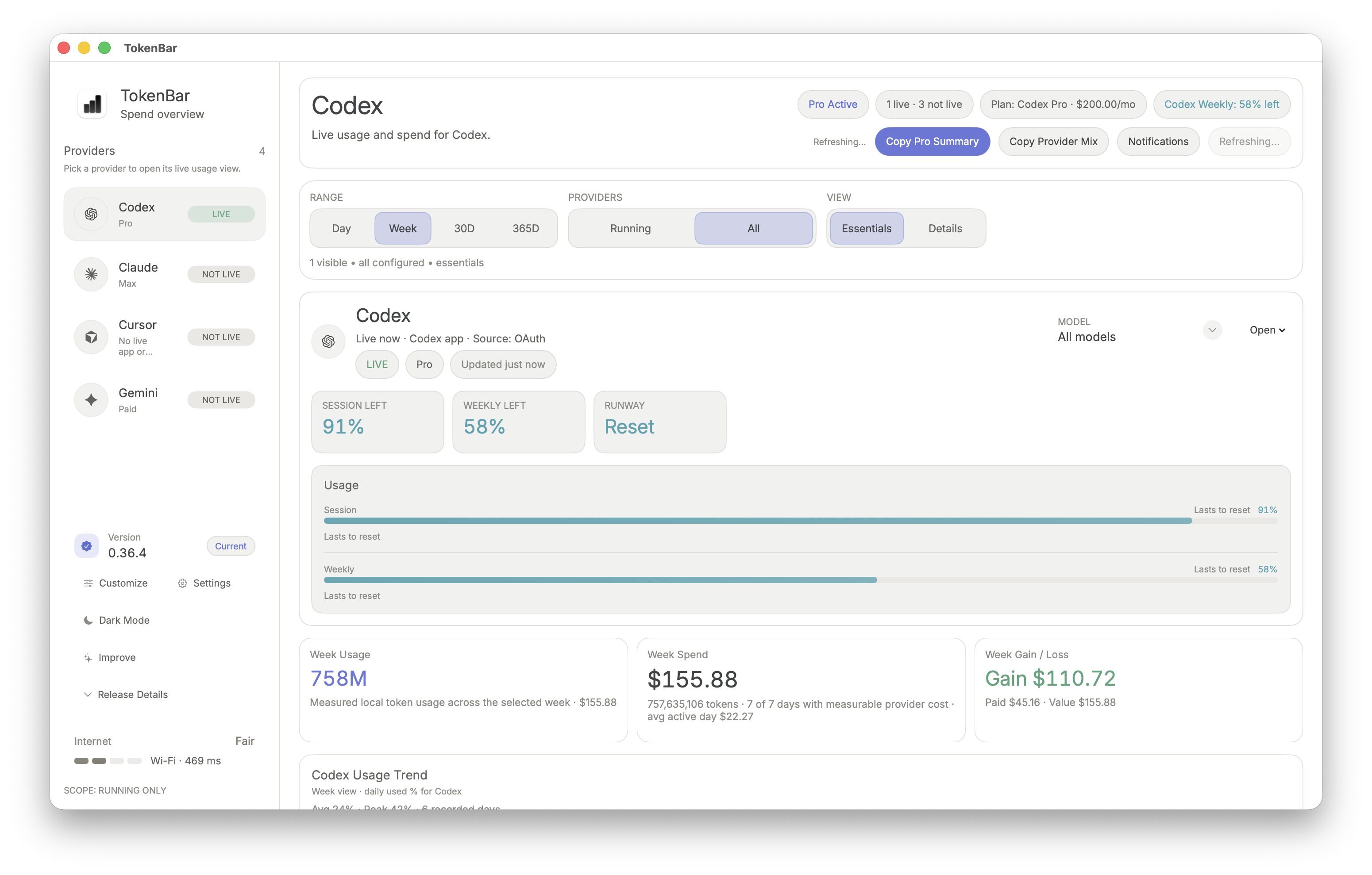
TokenBar keeps the important signal nearby while OpenAI, Claude, supported Cursor workflows, and other AI sessions are still moving. Notifications extend that signal when you are not actively watching the menu bar.

Live signalNotificationsLocal-firstCross-providermacOS menu bar

Overview

What the product is actually built to do.

Most AI monitoring tools are optimized for summaries after the fact. TokenBar is optimized for the moment when the run is still active and you still have a chance to intervene.

That makes the feature set intentionally narrow and practical: live visibility, notifications, local-first behavior, and a better fit for mixed-provider development workflows on macOS.

For more context, read See pricing, continue with Browse real workflow fits, and keep OpenAI token monitoring open if you want the next step from this page.

Live visibility

Watch token and cost movement while the session is still open.

Usage spikes, repeated requests, supported provider activity, and background editor requests stay visible while you still know what caused them.

Notifications

Get nudged when usage changes are worth your attention.

The menu bar stays useful when you are already looking at it. Notifications help when you are not, so fast-moving sessions are harder to miss.

Mixed-provider

Keep OpenAI, Claude, supported Cursor workflows, Gemini, and related tools in one view.

TokenBar works better than separate provider dashboards when the real workflow crosses editors, APIs, and multiple model vendors in the same day.

Local-first

Run the signal on your Mac instead of sending one more workflow to the cloud.

That keeps the app low-friction for privacy-sensitive and distraction-sensitive workflows where another hosted analytics tab would just get ignored.

What the live signal and notifications catch

The app is most useful when something is changing inside the session: request chains are getting longer, repeated requests keep firing, supported provider activity shifts, an editor tool keeps making background calls, or the signal is climbing fast enough that a notification matters.

Those are the moments where delayed billing summaries are weakest. TokenBar moves the signal closer to the work so the cause is still obvious.

Why local-first matters

For many developers, privacy is only part of the reason. The bigger reason is that another cloud analytics workflow adds more friction than the original problem deserved.

TokenBar stays useful because it keeps the monitoring lightweight enough to leave running every day on macOS.

How the features fit together

The point is not to flood you with metrics. The point is to keep enough high-value signal nearby that cost control becomes part of normal development behavior instead of a separate reporting ritual.

That is why the feature page, pricing page, and use-case pages all reinforce the same model: earlier visibility, smaller surprises.

FAQ

More direct answers for this page.


Site network

More TokenBar pages worth linking together

These grouped internal links keep TokenBar pages tightly connected around product fit, trust, provider coverage, setup, pricing, and guides.

Core pages

TokenBar core pages and buying flow

Brand and trust

TokenBar brand, company, and trust pages

Provider pages

Provider-specific TokenBar tracking pages

Workflow pages

Workflow fit, evaluation, and use-case pages